 I designed a basic motor controller that is robust, cost effective and able to handle high current. I wanted to take advantage of Pulse Width Modulation (PWM) to allow speed control but keep direction control as simple as possible. Thus, I use a pair of SPDT relays for direction and a single MOSFET for PWM. I also use optoisolation to separate digital logic from the back EMF of the motor and relay coils. Go here to see it.
Project – Hobbyduino Proto Plug V2.0
 I developed the prototype plug to further extend the mounting options for the Hobbyduino. A breadboard can be mounted for prototyping or components can be soldered onto the board. Go here to see it.
Gallery – Hobbyduino Proto Plug V2.0
 More mounting options! I have developed a prototype shield in my pursuit to make it easier to use the Hobbyduino. This shield allows a breadboard to be mounted on it for prototyping circuits. It also has a circuit layout in reference to a breadboard that allows for permanent mounted circuits. Go here to see it.
Project – Hobbyduino Mini Screw Plug V1.0
 I wanted to expand the mounting options for the Hobbyduino Mini so, I created a screw terminal shield. This shield breaks out the Arduino pins to screw terminals and allows for easy attachment of wires. Go here for the project.
Links – Arduino High-Altitude Ballooning (HAB)
I would love to get into near-space exploration projects. One of the more cost effective approaches is with High-Altitude Ballooning (HAB).
High-altitude balloons are unmanned balloons, usually filled with helium or hydrogen that are released into the stratosphere. They generally reach an altitude between 60,000 to 120,000 feet (18 to 37 km).
Two open source projects that I came across are the Sparkfun HAB by Nate and Trackuino project by Javier Martin. Kyle Crocke has developed an Arduino shield based off the the Trackuino project. I’ll be studying the above designs so that I can start experimenting.


Original Post: Adafruit
Links – Finding Parts
Designing a circuit board is only part of finishing a project. Finding components is probably one of the most tedious and mundane tasks. Adafruit put together an article and identified some sources for finding parts. This will come in handy in those situations where your primary vendor is out of a specific component you need. I usually purchase my parts from either Sparkfun, Digikey, Jameco, and/or Mouser.
Read about it here: Adafruit: Finding Parts
Links – PCB Fabrication Sources
There are numerous choices when it comes to picking a PCB fabrication company. I’ve been using ExpressPCB since their software is very easy to use. The problem with ExpressPCB is the software is proprietary to their manufacturing services. They do allow you the opportunity to purchase your board files in order to have them produced by other PCB fabrication companies, however, you have to purchase a set from them first.
There are other popular options for schematic/PCB software that does not lock you into their services. Two popular applications are Eagle and Diptrace. The problem is deciding what fabrication company to use in order to have your boards produced. Digital DIY has put together an in-depth article comparing some of the many services that are offered.
Read about it here: Digital DIY
Gallery – Hobbyduino Mini Boot-loader ISP Shield
 Here are pictures of the Hobbyduino Mini boot-loader ISP Plug. This plug (or shield if you like) can be used to burn the Arduino boot-loader onto blank ATMega328 or ATMega168 chips. In essence, this plug is a minimalist AVR ISP programmer. Go here for the gallery.
Project – Hobbyduino Mini Boot-loader ISP Shield
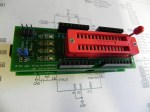 The Hobbyduino Mini allows for shields (or plugs as I call them) to be attached in somewhat the same way as the Arduino. As such, I would like to present one of the first shields developed for the Hobbyduino Mini called the Hobbyduino Mini boot-loader ISP Plug. This plug (or shield if you like) can be used to burn the Arduino boot-loader onto blank ATMega328 or ATMega168 chips. In essence, this plug is a minimalist AVR ISP programmer. Go here for the project.
Gallery – Hobbyduino Mini V3.0
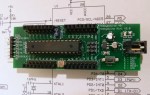 I have uploaded some pictures to the gallery of version 3 of the Hobbyduino Mini. There have been some subtle design changes based on the recommendations of a fellow robot builder from Let’s Make Robots forum. Go here and check out the 3rd revision of the Hobbyduino Mini.
 Hobbybotics